
Hands On: Narrative Clip Lifelogger Camera
 Narrative Clip is a simple camera that does a simple job. It snaps one picture every 30 seconds. I used the camera on a few occasions while traveling and visiting places that I wanted to remember. The Clip does snap pictures but there are some issues with the current design and with the associated software.
The Clip is designed to be fastened to something – anything and take pictures of what is in front of it. It senses the vertical perspective so that shots come out straight regardless how the Clip is positioned. Or that’s what is supposed to happen. In practice I got lots of shots that were tilted. The most obvious were those from the times I attached the cam to the front of my rear view mirror so I could capture our driving trip through the mountains. For some unknown reason many of the shots came out at very strange angles even though I was driving straight at the moment. But most of the time when I wore the Clip on my clothing the shots did come out fine.
Wearing the Clip draws questions thought not as many as I expected to get. People asked what it was and accepted my explanation, then went along their business. All in all the 30 second interval for shots is fine but can produce a lot of images. That’s where the software comes in.
The NarrativeApp.com assembles all your shots uploaded from the Clip into a timeline. It’s convenient for seeing your action. It actually works well and splits the shots up into ‘Moments’ based (I presume) on GPS information. It gets the splits right most of the time, and the company just added a feature that allows you to split a single Moment into 2 Moments. Conversely you can combine 2 Moments into 1. That’s some nice flexibility.
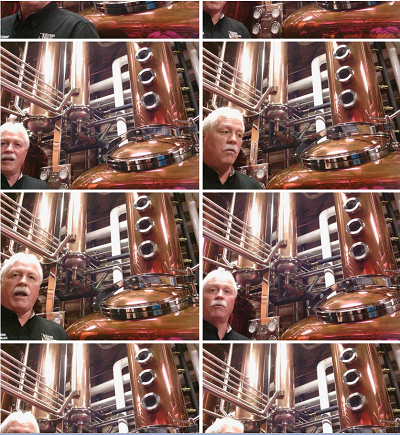
Still to come
While the Clip seems to be stable and reliable (and there is a Clip2 – new version on the way) the software needs some help. There’s LOTS of duplicate shots that need to be weeded out. For example I got more than 100 shots of the dinner table I sat at for 2 hours. That wasn’t terrible as there was at least some action. But when I was riding in the back seat of the car for 2 hours the resulting 100+ images were V.E.R.Y. boring.
I did suggest that the Narrativeclip.com software could sense those similar images and delete (or maybe just stack them into a single image). The software is a cloud service, so it’s not installed on your computer. The Narrative team responded that this is beyond their intentions. I agree with them that this kind of image recognition processing is pretty advanced stuff and would take lots of processing power. That said, I was pretty easily able to just delete the duplicate images manually.
Probably the biggest missing piece in the software is the ability to turn the series of images into something easily viewable like a video. I was able to remove the excess images and then share a Moment on the Narrative site. But posting to my Social Media sites wasn’t one of the choices. I shared this Moment to the Narrativeapp site. From there I can use the URL to share elsewhere. But this isn’t exactly the kind of easy sharing most folks are used to. If there isn’t a ‘Share to Facebook, Twitter, etc.’ button that can be clicked, most people will leave it alone. (Shared Moment)
Overall
I think the Clip is a great idea. It’s small and easy to use and mostly unobtrusive. But to make the results useful the software needs to mature significantly.


